VidSavo

Instagram Audio Downloader

This Instagram audio downloader saves the sound from a public Reel or video post as an M4A file.

Works with public Reels and video postsSaves the sound as an M4A file.

How to download in 3 easy steps

To get the sound from a Reel, copy the Reel link, paste it above and tap Download on the audio file. VidSavo saves it as M4A. For songs you plan to reuse, a music service or the creator’s permission is the legal route.

  1. Step 1: copying the link of a post

    1Copy the Reel link

    Open the Reel, tap Share and choose Copy link.

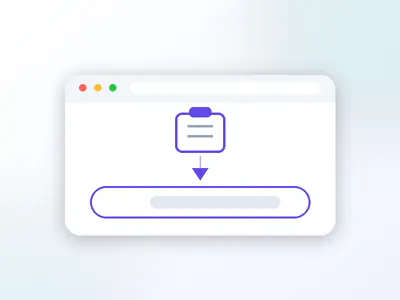
  2. Step 2: pasting the link into the VidSavo box

    2Paste it here

    Tap Paste above, or press and hold the box and paste.

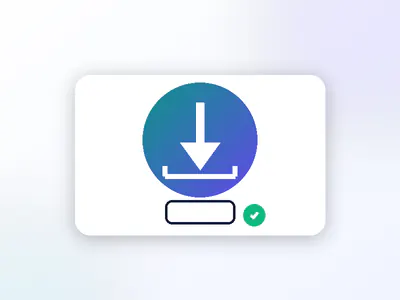
  3. Step 3: saving the file to your device

    3Save the sound

    Tap Download on the audio file. Use songs only for personal listening unless you have permission.

About the Instagram Audio Downloader

People often want the sound from a Reel, such as a voice-over, a recipe narration or a creator’s original audio. Paste a public Reel or video link and VidSavo saves its sound track as an M4A file, which plays on iPhone, Android and computers. The file is M4A, not MP3. Licensed music still belongs to its artists and labels, so keep songs for personal listening.

  • Accepts Reel and video post links
  • Saves the sound as an M4A file
  • Licensed songs stay with their owners
  • Original sounds: ask the creator

How do I get the audio from an Instagram Reel?

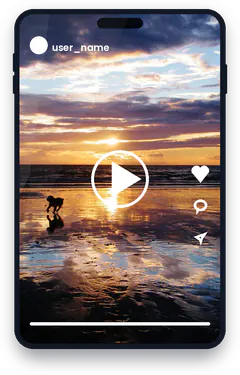
A dog on a wet beach at sunset
Photo: Flickr photographer

Instagram Reels mix video with audio that comes from two very different places: licensed music from Instagram’s library, and original audio recorded by the creator. The two have different owners, so “downloading the audio” means something different for each.

For songs, the right place is a music service where the artist gets paid. Original audio is different. When it is a voice-over, a podcast-style clip or a sound someone recorded, the creator decides who may reuse it.

Can VidSavo download Instagram audio today?

Yes. Paste a public Reel or video link and VidSavo saves the sound on its own as an M4A file. If the post is private or has no sound, you get a plain message instead.

How do I save a sound on Instagram?

Tap the audio name at the bottom of a Reel to open its audio page, where Instagram lets you save the sound or use it in your own Reel.

Does Instagram to MP3 work here?

Almost: the sound comes as M4A, the format Instagram itself uses. M4A plays in the Music, Files and VLC apps and in every modern browser; a free converter can turn it into MP3 if you need one.

Can I reuse someone’s original audio?

When a creator records their own sound, Instagram labels it as original audio with their name. That sound belongs to them, so if you would like to reuse it in a video of your own, the respectful route is to use it inside Instagram, where the creator is credited automatically, or to ask them directly.

If you only want to listen again later, saving the Reel to a collection inside Instagram keeps both the video and the sound in one place without copying anything.

Why download with VidSavo

  • No account

    No account needed

    You never sign in to VidSavo or hand over your Instagram password.

  • Any browser

    Works in your browser

    Use it in Safari, Chrome, Edge or Firefox on a phone, tablet or computer. There is nothing to install.

  • Free

    Free to use

    VidSavo does not charge for checking links, and there is no sign-up wall.

  • Public posts only

    Public content only

    Only posts that anyone can already see on Instagram are accepted. Private content stays private.

  • Link checks

    Clear link checks

    Paste a link and VidSavo explains what kind of link it is and whether it is supported.

  • Creators first

    Respect for creators

    Save only what you own or have permission to use, and credit the creator when you share.

How to download on any device

  • iPhone and iPad

    Copy the Reel link in Instagram and paste it into VidSavo in Safari. The M4A file goes to Files → Downloads. To reuse a sound, tap its name on the Reel and save it inside Instagram.

  • Android

    Copy the Reel link in Instagram and paste it into VidSavo in Chrome. The M4A file goes to Downloads. To reuse a sound, open its audio page in Instagram.

  • PC and Mac

    Copy the Reel address from instagram.com and paste it here. The M4A file goes to your Downloads folder. Sounds can be saved for reuse from the Instagram app.

What works and what doesn’t

  • Only public Reels and video posts can be processed.
  • The sound is saved as M4A, not MP3.
  • Only use sounds you own or have permission to use.

Frequently asked questions

Can I download just the audio from a Reel?

Yes. Paste the Reel link and tap Download on the audio file. It saves as M4A.

Can I get a song from a Reel?

Songs are licensed music. Use a music service so the artist is paid.

How do I reuse a sound on Instagram?

Tap the audio name on the Reel to open its audio page, then save it or use it in your own Reel.

Which links can I paste?

Links to public Reels and video posts.

Do I need to log in?

No. VidSavo never asks for your Instagram login.

Is it free?

Yes. There is no charge and no account.

Still have a question about Instagram links? Contact VidSavo.