VidSavo

Instagram Reels Downloader

Paste a public Reel link into this Instagram Reels downloader to see your download options.

Works with public ReelsReels from private accounts aren’t supported.

How to download in 3 easy steps

Downloading a Reel takes three steps: copy the Reel link, paste it above, then save the video. VidSavo shows every quality Instagram offers for that Reel.

  1. Step 1: copying the link of a post

    1Copy the Reel link

    Open the Reel, tap the paper-plane icon and choose Copy link.

  2. Step 2: pasting the link into the VidSavo box

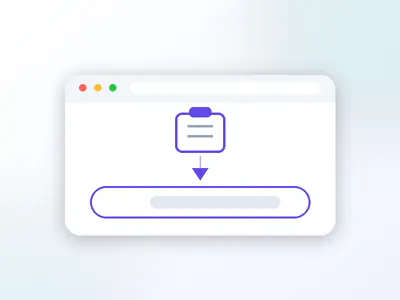
    2Paste it here

    Tap Paste above or long-press the box and paste.

  3. Step 3: saving the file to your device

    3Save the Reel

    Pick a file from the list and save it to your device.

About the Instagram Reels Downloader

The Reels Downloader is the VidSavo page for short vertical videos. It accepts links that point to a single public Reel and explains anything it can’t handle. Paste a public Reel link and VidSavo lists the video with sound at each quality Instagram offers, plus the sound on its own. Pick one and it saves to your device.

  • Accepts instagram.com/reel/ and /reels/ links
  • Works with links copied from the app
  • No login and nothing to install
  • Honest messages for unsupported links

An Instagram Reels downloader that keeps it simple

A dog on a wet beach at sunset
Photo: Flickr photographer

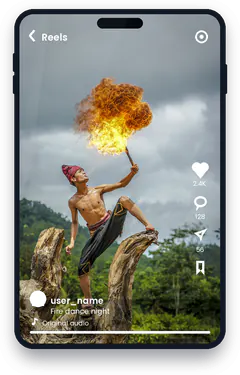
Reels are Instagram’s short, vertical videos: dance trends, quick recipes, travel clips and how-tos. They scroll out of sight quickly, so many people want to keep a copy of the ones that matter to them, such as a Reel they made themselves or one a friend shared with permission.

VidSavo’s Reels page is built around a single job: take the link of one public Reel and show the options for keeping it. It does not ask you to log in and it never touches private accounts.

Which Reel links work?

Links that look like instagram.com/reel/CODE/ or instagram.com/reels/CODE/. Links with a username in front, or with tracking text such as ?igsh= at the end, work too.

Is it OK to save Reels that use music?

Many Reels use licensed songs. Music rights belong to the artist and label, so keep any saved Reel for personal viewing and don’t re-upload it.

Can I save Reels with VidSavo today?

Yes. Paste a public Reel link and pick a file from the list. If the Reel is private or removed, you get a plain message instead of a file.

Why won’t my Reel link work?

Copy the link from the Reel itself, not from the profile grid. If a Reel was deleted or its account went private, the link stops working for everyone, including VidSavo.

Is a Reel link different from a post link?

Instagram shows Reels in the Reels tab, in the main feed and on profiles, but every Reel has the same kind of link no matter where you found it. If you are not sure whether something is a Reel or a regular video post, paste the link anyway. VidSavo recognises both and points you to the right page.

Why download with VidSavo

  • No account

    No account needed

    You never sign in to VidSavo or hand over your Instagram password.

  • Any browser

    Works in your browser

    Use it in Safari, Chrome, Edge or Firefox on a phone, tablet or computer. There is nothing to install.

  • Free

    Free to use

    VidSavo does not charge for checking links, and there is no sign-up wall.

  • Public posts only

    Public content only

    Only posts that anyone can already see on Instagram are accepted. Private content stays private.

  • Link checks

    Clear link checks

    Paste a link and VidSavo explains what kind of link it is and whether it is supported.

  • Creators first

    Respect for creators

    Save only what you own or have permission to use, and credit the creator when you share.

How to download on any device

  • iPhone and iPad

    In the Instagram app, tap Share on the Reel and Copy link, then paste it into VidSavo in Safari. Saved files appear in Files → Downloads.

  • Android

    Copy the Reel link in the Instagram app and paste it into VidSavo in Chrome. Saved files appear in Downloads and your gallery.

  • PC and Mac

    Open the Reel on instagram.com, copy the URL and paste it here. Files go to your Downloads folder.

What works and what doesn’t

  • Only public Reels can be processed.
  • Reels from private accounts, removed Reels and Stories are not supported.
  • Only save Reels you own or have permission to use.

Frequently asked questions

Which Reel links work?

Links to a single public Reel, such as instagram.com/reel/…, copied from the app or the website.

Can I save a Reel from a private account?

No. Reels from private accounts aren’t supported.

Do I need to log in?

No. VidSavo never asks for your Instagram login.

Is saving available right now?

Yes. Paste a public link and pick a file from the list. If the post is private or the site refuses the request, VidSavo shows a plain message and never a fake file.

Can I re-post a saved Reel?

Only with the creator’s permission. Saving a Reel does not give you the right to share it.

Does it work on iPhone?

Yes, VidSavo works in Safari on iPhone and iPad.

Still have a question about Instagram links? Contact VidSavo.