

VidSavo

Instagram Story Downloader

Looking for an Instagram Story downloader? Stories can’t be saved with VidSavo, and this page explains why.

Stories aren’t supportedStory links can’t be processed. Choose Video, Reels or Photo and paste a post or Reel link.

How to download in 3 easy steps

You can’t download other people’s Instagram Stories with VidSavo. You can save your own Stories inside Instagram, and if the same clip was posted as a Reel or post, paste that link instead.

  1. Step 1: copying the link of a post

    1Check the link type

    Story links contain /stories/. Those are not supported.

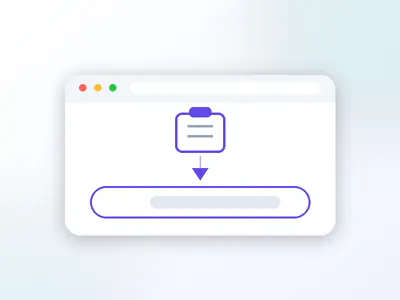
  2. Step 2: pasting the link into the VidSavo box

    2Use a post or Reel link

    If the content was also posted to the feed or as a Reel, copy that link instead.

  3. Step 3: saving the file to your device

    3Save your own Stories in Instagram

    Your own Stories can be kept through Instagram’s archive and settings.

About Instagram Stories on VidSavo

Many people search for an Instagram Story downloader. VidSavo does not process Story links: Stories are temporary by design, they often sit behind a login, and saving other people’s Stories without permission raises privacy problems. This page explains the options that do exist.

  • Story links are not processed
  • Your own Stories can be saved inside Instagram
  • Highlights belong to the account owner
  • Posts and Reels have their own VidSavo pages

Can you download Instagram Stories with VidSavo?

Mountain ridge under a cloudy sky
Photo: D’Amico Vincenzo via Flickr

No. Stories vanish after 24 hours because the people who post them want them to be short-lived. Saving someone else’s Story without asking works against that choice, so VidSavo doesn’t process Story links, even public ones.

This page exists so that anyone searching for an Instagram Story downloader gets a straight answer instead of a tool that pretends to work.

How do I save my own Instagram Story?

Instagram can keep your own Stories in your archive, and you can save a Story to your phone from the Story itself before or after posting. Check Instagram’s settings for the archive option.

Can you download Instagram Highlights?

Not with VidSavo. Highlights are collections of Stories pinned to a profile. They belong to that account, so ask the owner if you would like a copy.

What if the Story was also posted as a Reel?

Creators often share the same clip as a Reel or post. Those public links can be pasted on the Reels or Video page.

How can I get a copy of someone else’s Story?

If a Story showed something you would like to keep, like a recipe, a voice note or a photo from an event you attended, message the person who posted it. That is the simplest and fairest route. Most creators are happy to send the original file or to repost it as a Reel when people ask politely.

Are anonymous Instagram Story viewers safe?

Some websites offer to show or save Stories anonymously. They usually need an Instagram login behind the scenes, can break Instagram’s terms, and may put your own account or data at risk. VidSavo does not offer this and never asks for your password.

Why download with VidSavo

  • No account

    No account needed

    You never sign in to VidSavo or hand over your Instagram password.

  • Any browser

    Works in your browser

    Use it in Safari, Chrome, Edge or Firefox on a phone, tablet or computer. There is nothing to install.

  • Free

    Free to use

    VidSavo does not charge for checking links, and there is no sign-up wall.

  • Public posts only

    Public content only

    Only posts that anyone can already see on Instagram are accepted. Private content stays private.

  • Link checks

    Clear link checks

    Paste a link and VidSavo explains what kind of link it is and whether it is supported.

  • Creators first

    Respect for creators

    Save only what you own or have permission to use, and credit the creator when you share.

How to download on any device

  • iPhone and iPad

    Your own Stories: open the Story in Instagram, tap More and choose Save. For public posts and Reels, use VidSavo’s Video or Reels page in Safari.

  • Android

    Your own Stories: open the Story in Instagram, tap More and choose Save. For public posts and Reels, use VidSavo’s Video or Reels page in Chrome.

  • PC and Mac

    Story links are not supported on any device. For public posts and Reels, copy the link from instagram.com and use the Video or Reels page.

What works and what doesn’t

  • Story and Highlight links are not supported.
  • Public posts and Reels have their own VidSavo pages.
  • Only save content you own or have permission to use.

Frequently asked questions

Can VidSavo save Instagram Stories?

No. Story links can’t be processed by VidSavo.

Why not, if the account is public?

Stories are meant to be temporary. Saving other people’s Stories without asking goes against that, so VidSavo doesn’t do it.

How do I save my own Story?

Use Instagram’s own options: open your Story, tap More → Save, or turn on the Story archive in Instagram’s settings.

What about Highlights?

Highlights are not supported either. Ask the account owner for a copy.

What can I save instead?

Links to public posts and Reels are accepted on the Video, Reels and Photo pages.

Will Story support be added later?

There are no plans to process other people’s Stories.

Still have a question about Instagram links? Contact VidSavo.